NFC to RFID
What it does
NFC to RFID copies the UID of an NFC card onto a UHF EPC Gen2 tag, so a long-range UHF scan returns the same identifier the card reports over NFC. Typical use: assets or badges carry both an NFC card (secure, short-range identification) and a UHF label (bulk inventory from a distance).
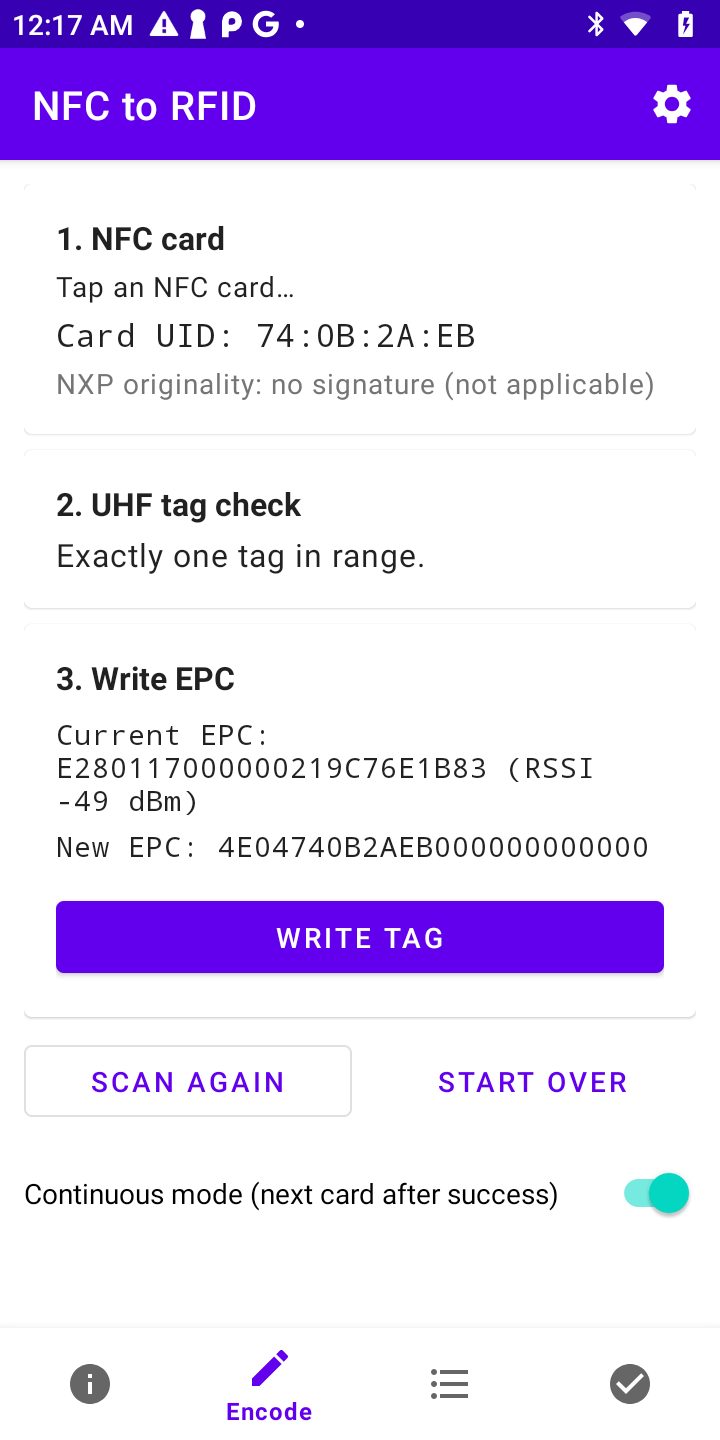
- Encode - tap a card, confirm, and its UID is written into the tag's EPC; tags can be password-locked against tampering.
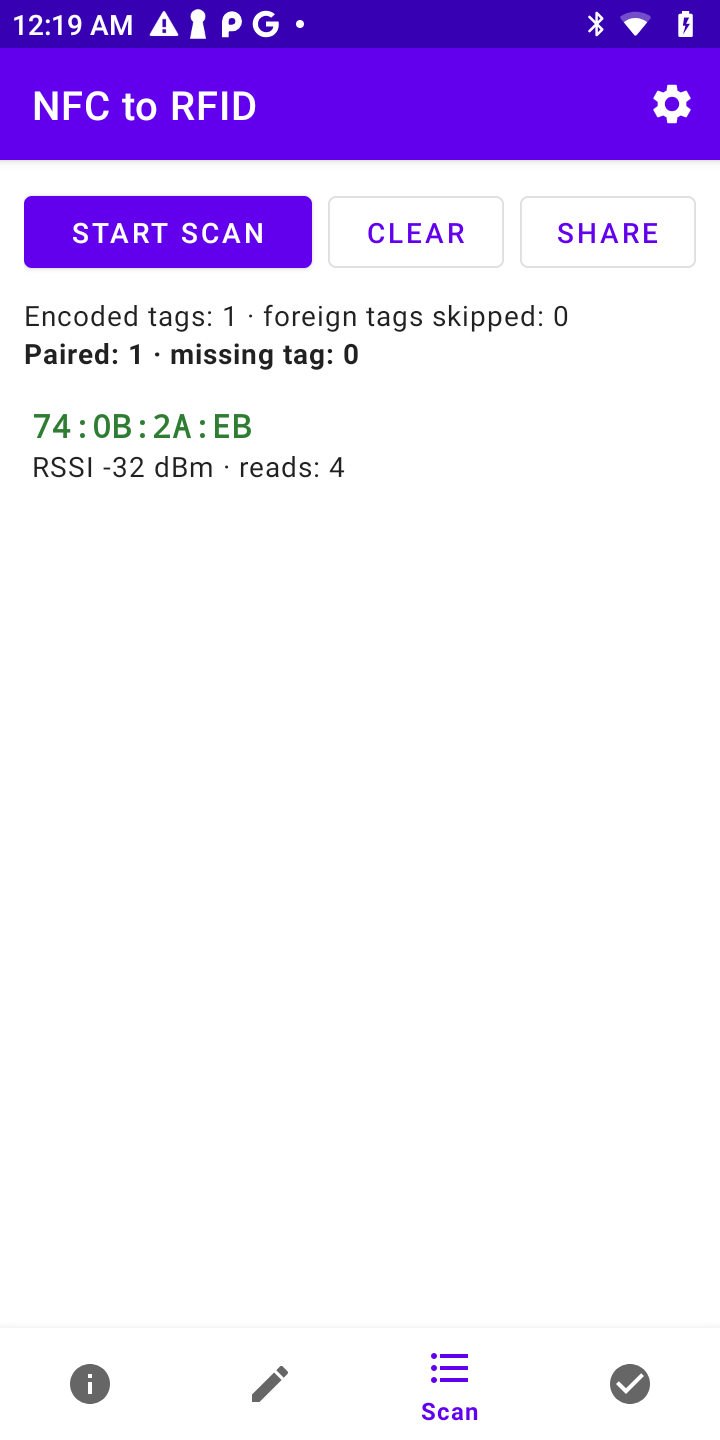
- Scan - bulk inventory of encoded tags with live card-tag pairing validation.
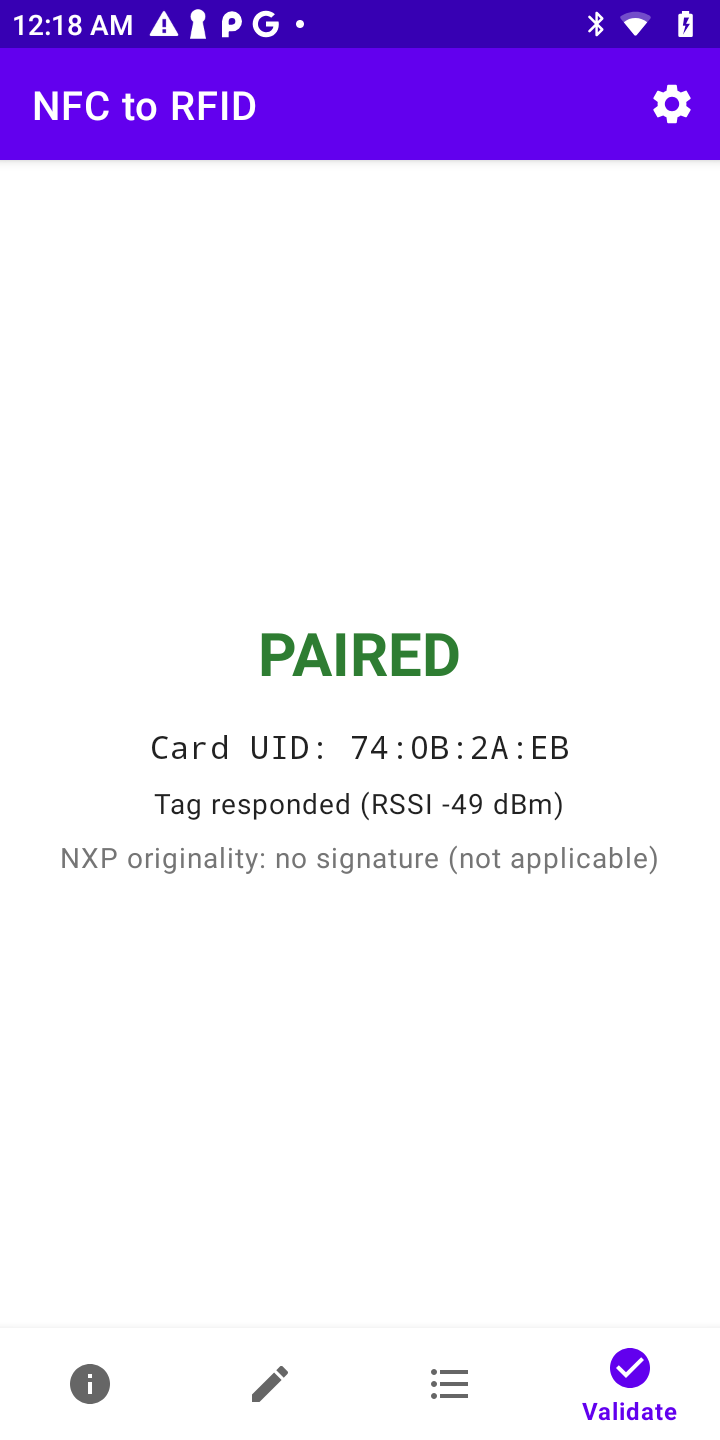
- Validate - tap a card and get an instant PAIRED / TAG MISSING verdict.
- NXP originality check - the card's silicon is verified against NXP public keys on every tap.
| Encode | Scan & validate | Validate one-by-one |
|---|---|---|
 |  |  |
Installation
On a Sunmi device install the app from the Sunmi App Store - open this link on the device:
market://woyou.market/appDetail?packageName=dev.duma.android.nfctorfid
Alternatively download the APK from GitHub Releases
or build it yourself (JDK 17+): ./gradlew :app:assembleDebug.
Requires Android 7.0+ with NFC and a supported UHF reader: the built-in module of a Sunmi L2s RFID / L3, the UHF trigger handle of a Sunmi L2k / L2s / L2H / L2s Pro, or a Chainway reader (R2 / R3) over USB or Bluetooth.
How it works
- Tap the NFC card - the app reads its UID and checks the NXP originality signature.
- Check for one tag - exactly one UHF tag must be in range, otherwise the workflow stops with an error.
- Confirm - the current and the new EPC are shown, with an overwrite warning if the tag belongs to another card.
- Write, lock, verify - the UID is written into the 96-bit EPC (
4E+ UID length + UID, non-GS1 namespace), the tag is locked with an access and a kill password and read back to verify.
The same EPC is later used by Scan and Validate to pair cards with tags. Feedback (tones, vibration, full-screen green/red flash) is designed for warehouse use. The English and Polish interface is selected automatically.
Full documentation
Supported readers and auto-detection, settings, encoding format, NXP originality and troubleshooting are described in the full documentation.
GitFlow Tool
Useful helper for using gitflow-like branching model in a project. It is a simple shell script that helps you to create, finish and publish branches in a git repository. It supports automatically bumping version tag and pushing from and to correct branches.
PDF Scan Splitter
A tool to sort batch scanned PDF documents based on document number contained in barcode placed on document.