Serverless Registry Worker
The Worker is the registry itself. It serves the native read protocols of the package managers, the
publishing and administration API (/api/v1) and a landing page with an admin panel. Files are kept in
CloudFlare R2, credentials in
CloudFlare KV.
Deployment
Pick one of three ways, all using the same repository:
| Path | For whom | Deploys on |
|---|---|---|
| Deploy to CloudFlare button | most installations | every push to your main |
| Fork + GitHub Actions | those who prefer GitHub Actions | every push to your fork's main |
Local npm run deploy | developers and one-off installs | every time you run it |
Everything is provisioned from wrangler.jsonc on the first deploy: the Worker serverless-registry,
a KV namespace (AUTH), an R2 bucket (R2_BUCKET), static assets and an hourly cron cleanup.
Nothing installation-specific is committed - settings live in the CloudFlare dashboard, so updates are conflict-free.
The repository also brings two GitHub workflows for your own copy (see Updating): Update from upstream and Configure bindings.
Configuration
Set in the Worker's Settings → Variables and Secrets:
| Variable | Type | Description |
|---|---|---|
PUBLIC_URL | variable | Public address of the registry (also the audience of OIDC tokens). |
S3_ENDPOINT | variable | R2 S3 endpoint used for presigned URLs. |
S3_ACCESS_KEY_ID, S3_SECRET_ACCESS_KEY | secrets | R2 API token scoped to the bucket. |
SESSION_SECRET | secret | Signs panel sessions (openssl rand -base64 48). |
Optional variables (defaults apply while unset):
| Variable | Default | Effect |
|---|---|---|
ECOSYSTEMS | composer,npm,cargo,generic,nuget,swift,maven | Enabled ecosystems; a disabled one answers 404. |
MAX_UPLOAD_BYTES | 536870912 (512 MiB) | Largest accepted file of a version. |
APPEND_WINDOW_HOURS | 24 | How long files may be appended to a generic version. |
TOKEN_PREFIX | empty | Fixed prefix (e.g. srg_) for issued tokens, so leaked ones can be found with grep. |
LOGIN_TOKEN_EXTENDED_TTL_HOURS | 24 | How long a pull token lasts when it is approved with "extended validity" (1 to 720); otherwise one hour. |
CHECK_UPDATES | true | Settings page checks GitHub for a newer release once a day. |
R2_BUCKET_NAME | serverless-registry | Bucket name in presigned URLs. |
Authentication
Every credential is a project name with exactly one kind, a list of grants and one or more secrets:
read- installs packages; its key token is safe to commit into the consumer's repository (auth.json,.npmrc, ...),publish- publishes versions withsreg, usually from GitHub Actions; never reads,admin- the panel and the administrative API; no grants.
A grant is an ecosystem, a package name or vendor/* pattern and a version constraint in that ecosystem's syntax
(* for all). read grants are transitive by default. Grants can be edited as rows or as text, one per line in the
shorthand eco:package[:versions[:transitive]].
A credential holds one or more secrets, each with an optional description:
| Secret | What it is |
|---|---|
key | A generated token <project>:<secret>, used as Bearer, Basic or raw Authorization header. A key is always generated, never a chosen password. |
login | A password and, optionally, a one-time code (TOTP) for an authenticator app. Used to sign in to the panel and to approve CLI operations in the browser (below). |
gh | Trusts a GitHub repository (optionally a ref, workflow and environment) so its Actions jobs authenticate with OIDC, with no stored secret. |
A publish credential with a gh secret is the recommended setup for CI. See the
deployment guide.
Logins for people
A read or publish credential can also hold a login secret, so that people use the CLI instead of copying tokens around:
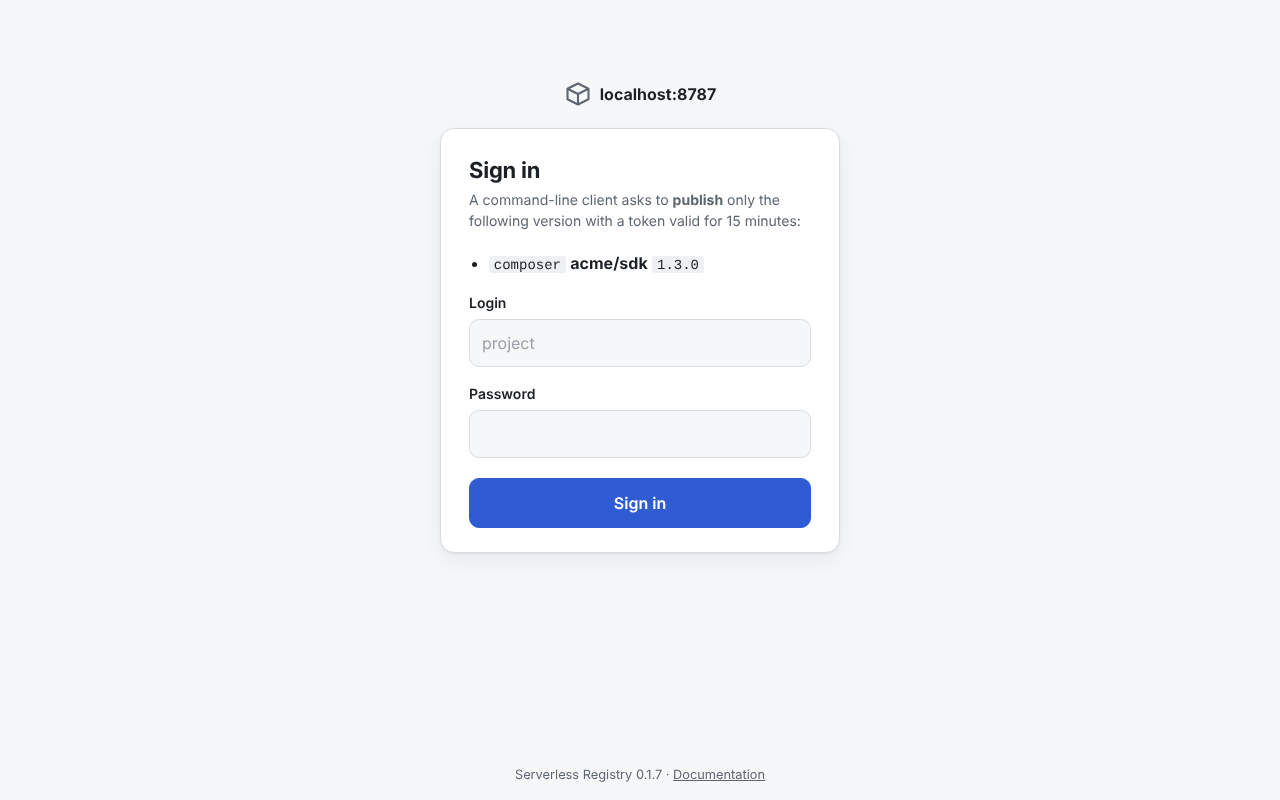
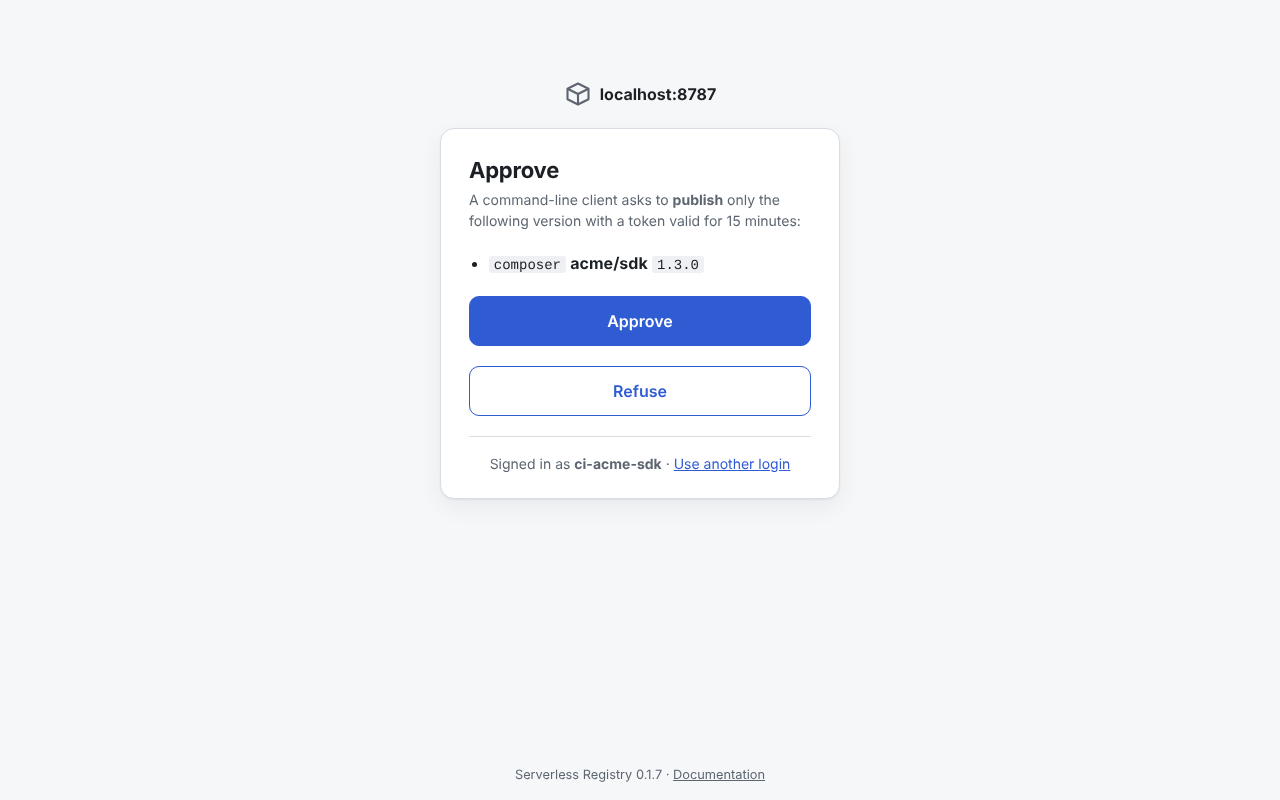
sreg login and the --login option open a page of the registry
(/authorize/...), where you sign in (or, when the browser is already signed in, only approve) and the CLI receives a
short-lived signed token:
- a pull token lasts one hour, or
LOGIN_TOKEN_EXTENDED_TTL_HOURShours when you tick "extended validity", - a publish token lasts 15 minutes and works only for the package versions you approved; it is issued only when the credential's grants allow every one of them, and with a one-time code a recent one is required.
Expiring the login secret ends its tokens and browser sessions. The Worker does not limit sign-in attempts - add a
CloudFlare rate limiting rule for the path starting with /authorize/.
Admin panel
Opening the registry in a browser shows a small panel, rendered by the Worker without any framework or external resources.
First run
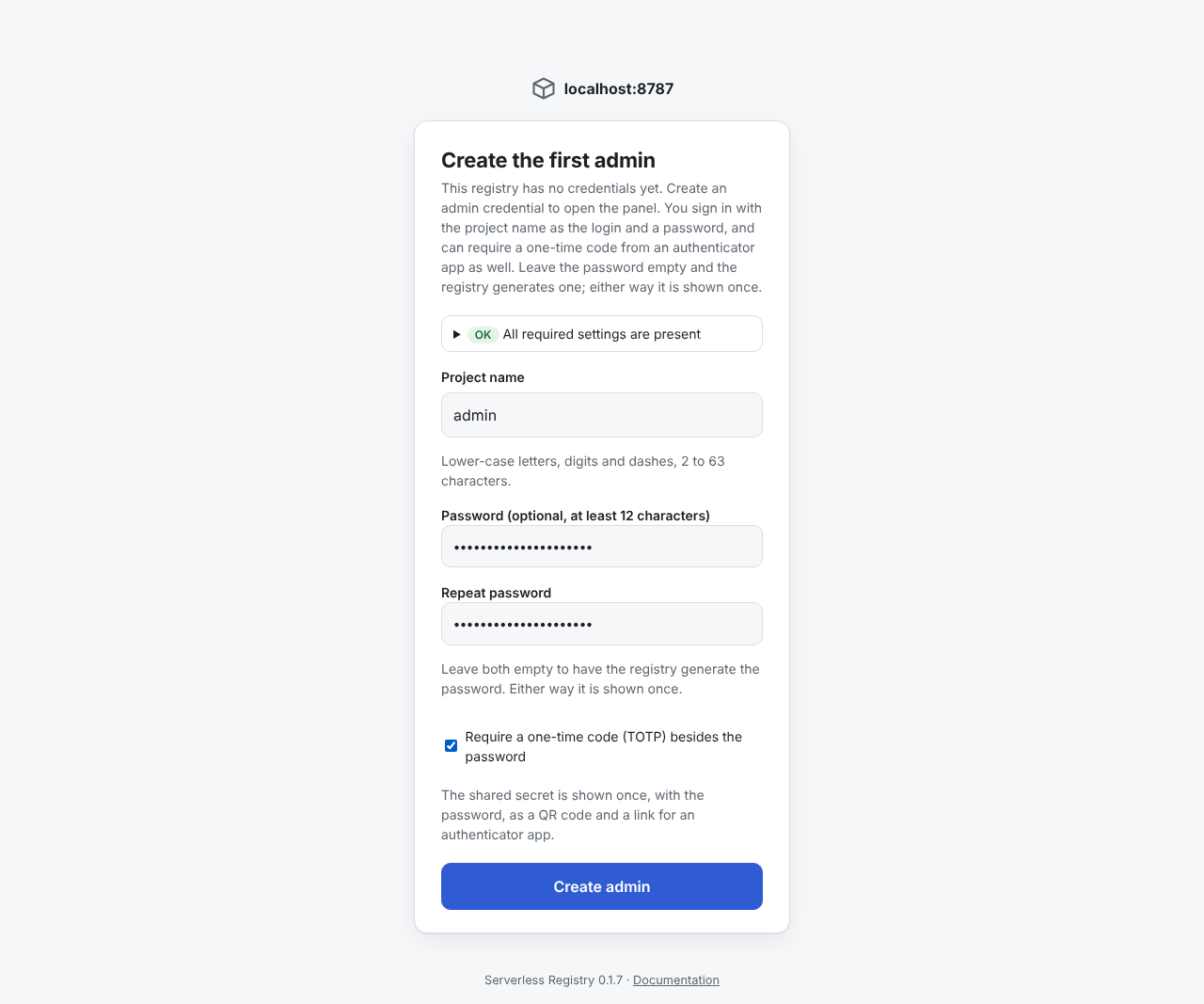
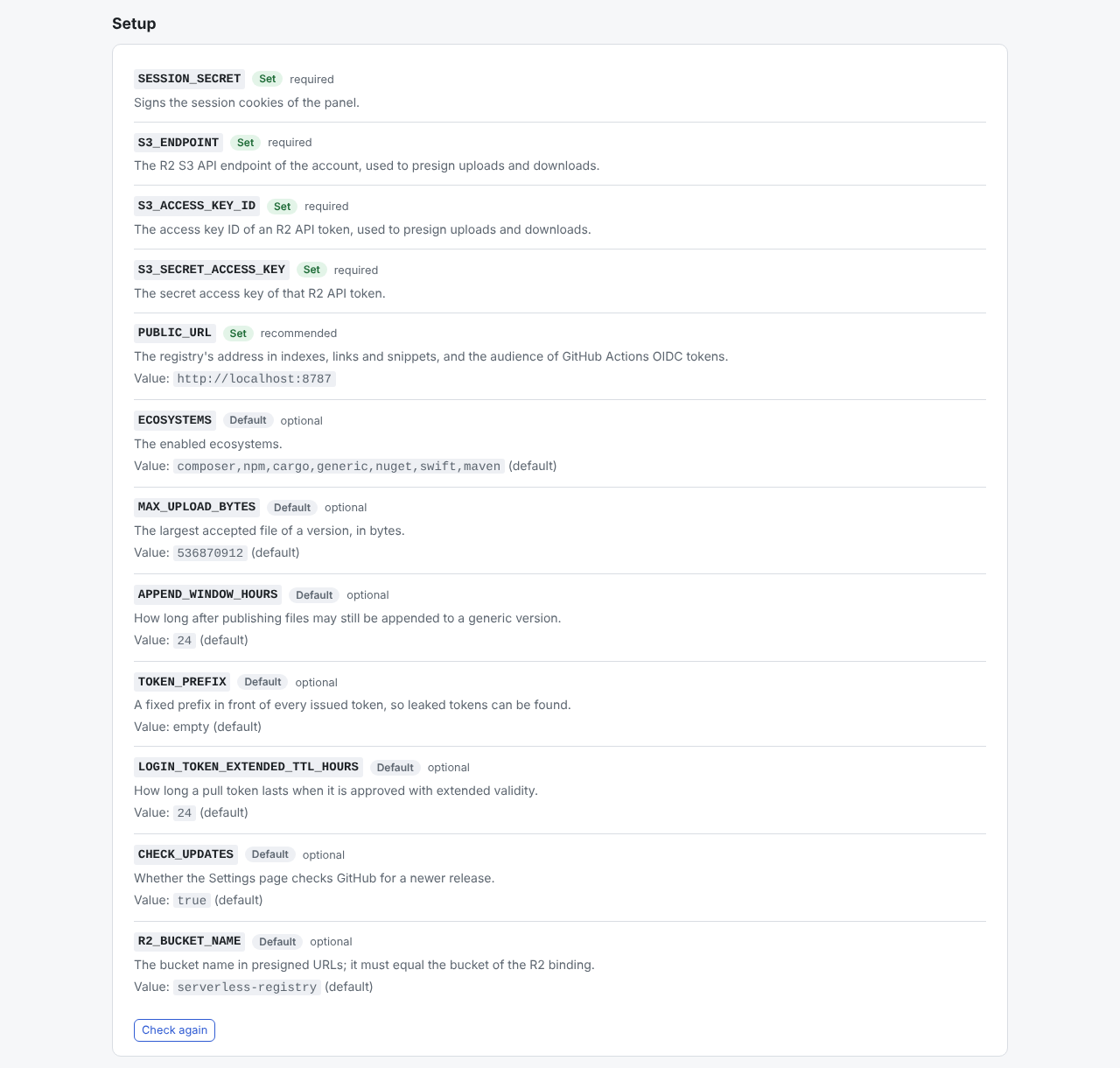
While the registry has no credential at all, the page first checks the installation settings and lists any missing ones (with how to add them), then offers to create the first admin. Enter a project name, optionally choose a password (otherwise one is generated) and tick Require a one-time code to protect the login with an authenticator app.
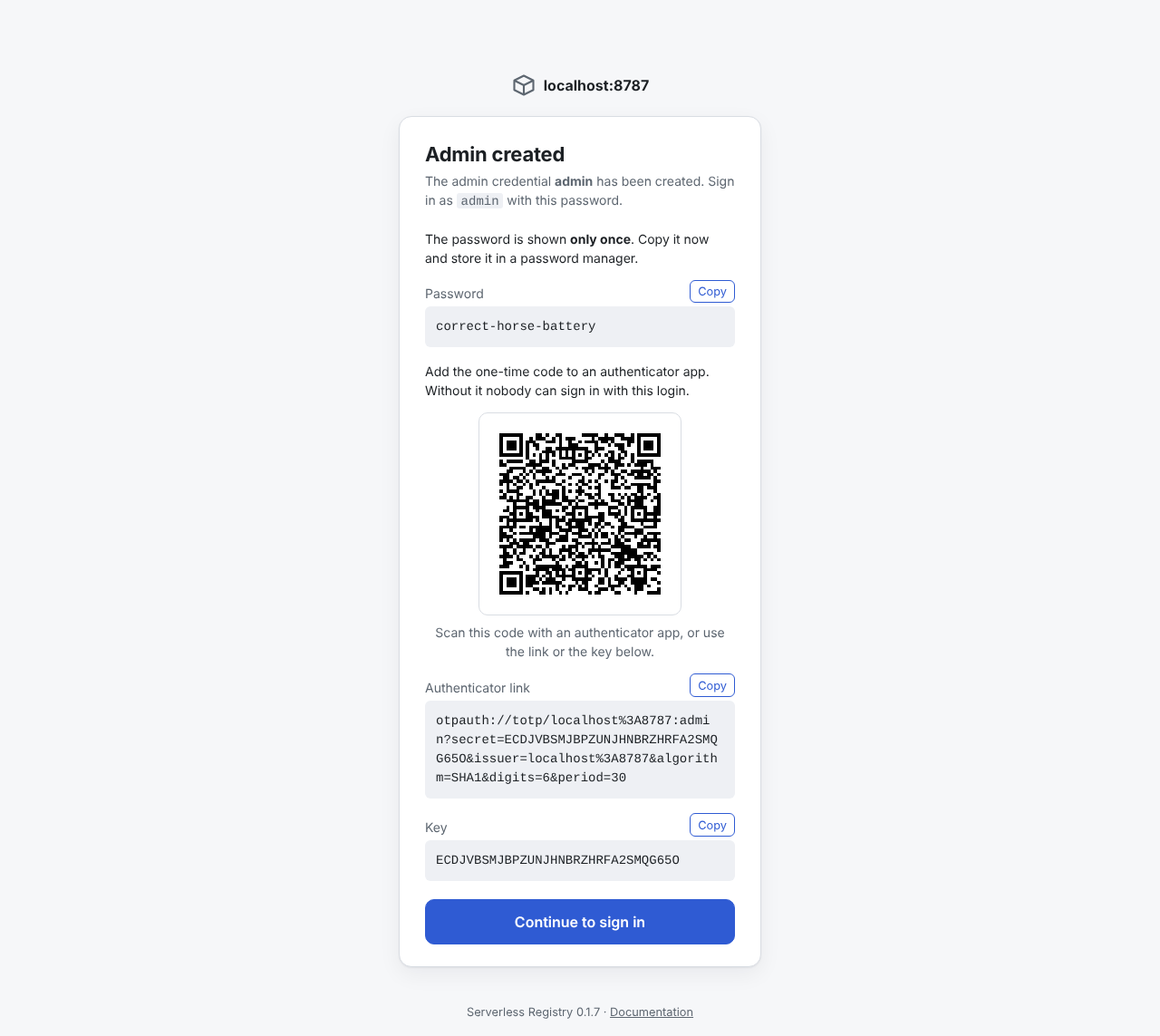
The password is shown only once, together with a QR code (and a link and a key) for the authenticator app when you asked for the code. Store it in a password manager. The form never appears again, and there is no password reset - consider creating a second admin credential for a colleague.
Login
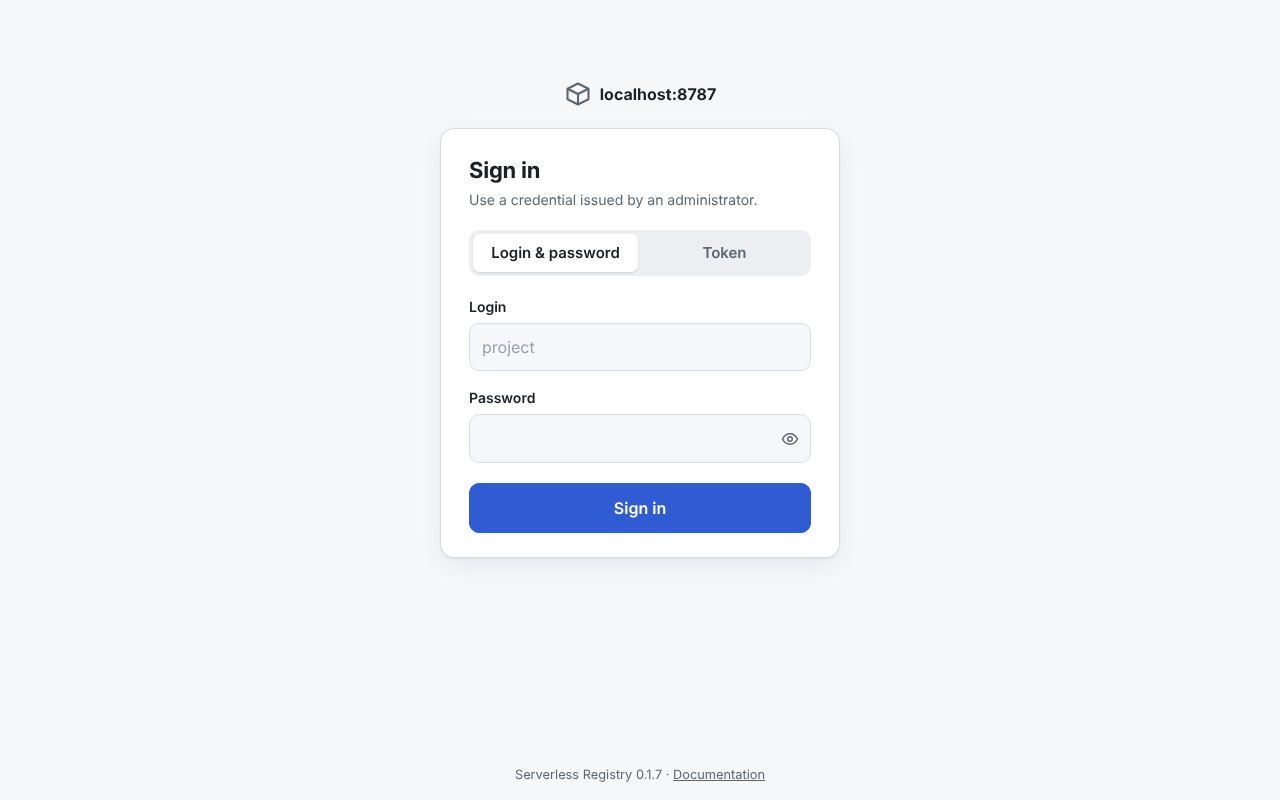
The login page defaults to a login (the project name) and a password; Token is the other tab, for a key secret.
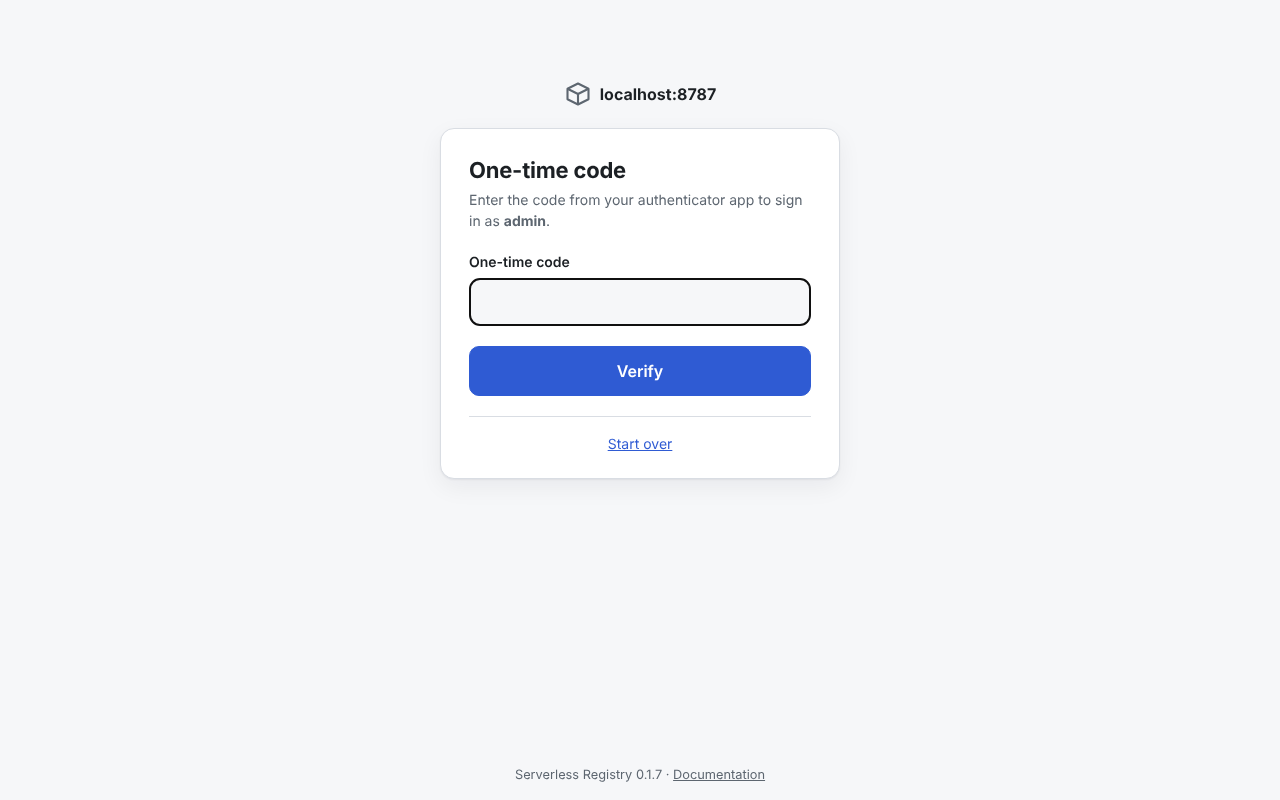
With a one-time code the sign-in has two steps: the password, then the code from the authenticator app.
A signed session cookie keeps you signed in for 12 hours.
Approving CLI operations
When a CLI command runs with --login (or sreg login), the page it prints shows exactly what is requested -
a pull token, or a publish token for named package versions. Sign in with a login secret, or just approve when you are
already signed in:
Browsing packages (read credentials)
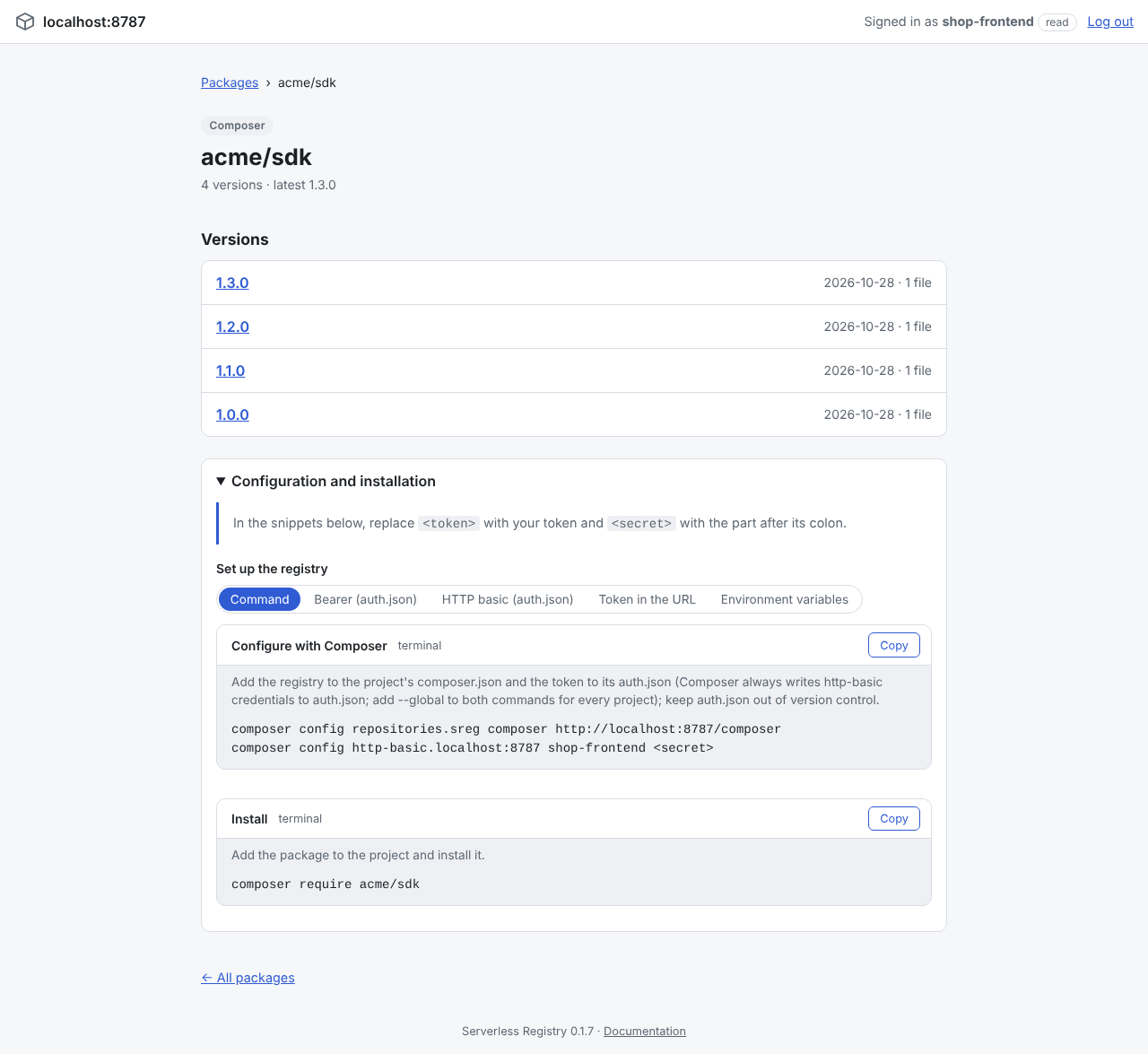
A read credential sees every package its grants cover, with an ecosystem badge, the number of versions and the latest version.
A filter bar narrows the list by name and ecosystem.
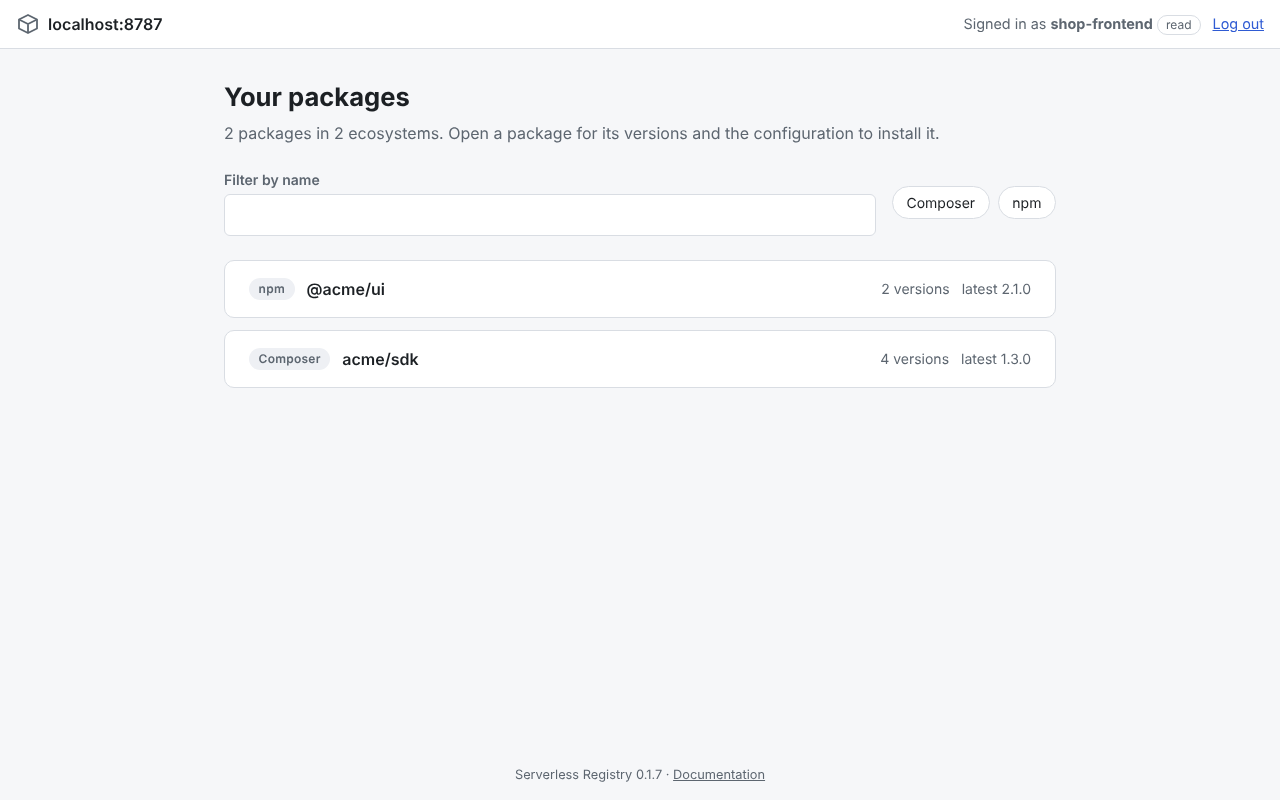
A package page lists its versions and has ready-to-paste client configuration with copy buttons
(a command, files or environment variables - pick one with the chooser). Replace <token> with your token.
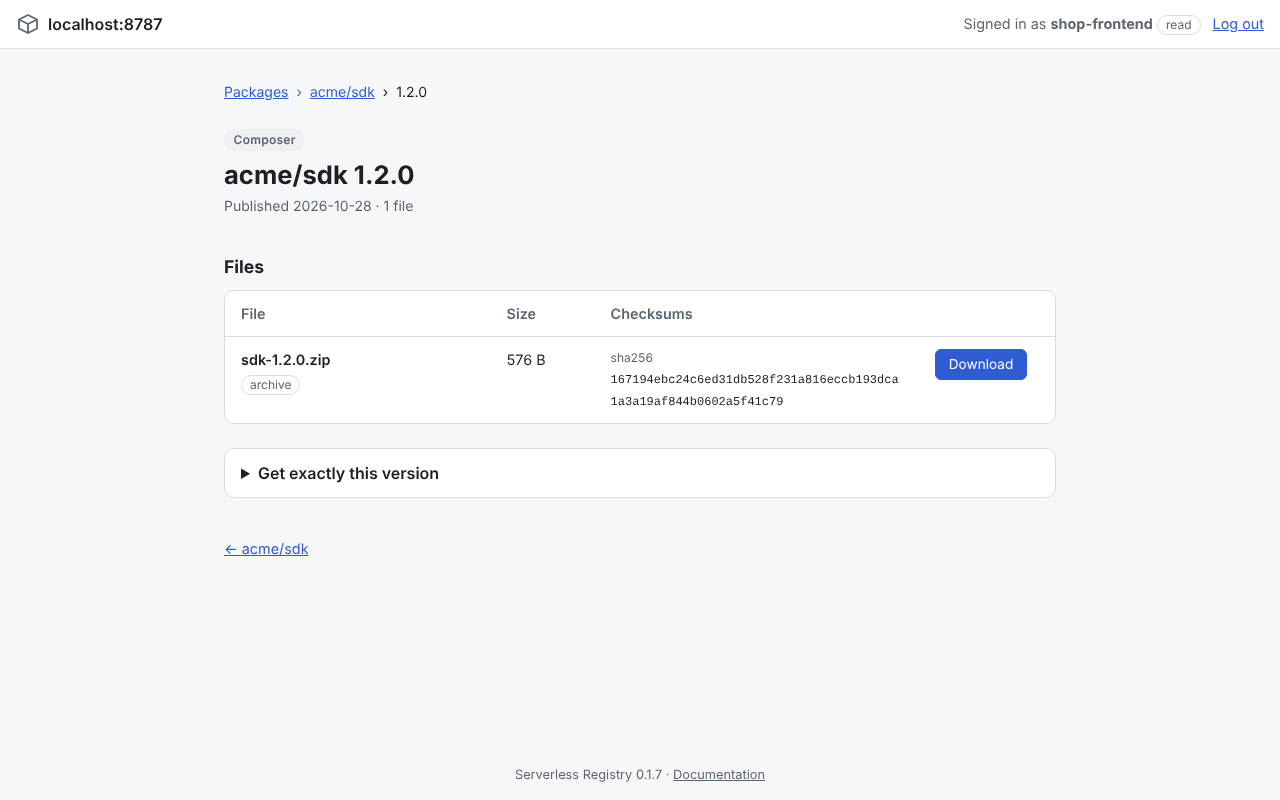
A version page lists its files with sizes and checksums, downloads them through a short-lived presigned link and shows how to install exactly that version.
Administration (admin credentials)
An admin gets three pages in the header.
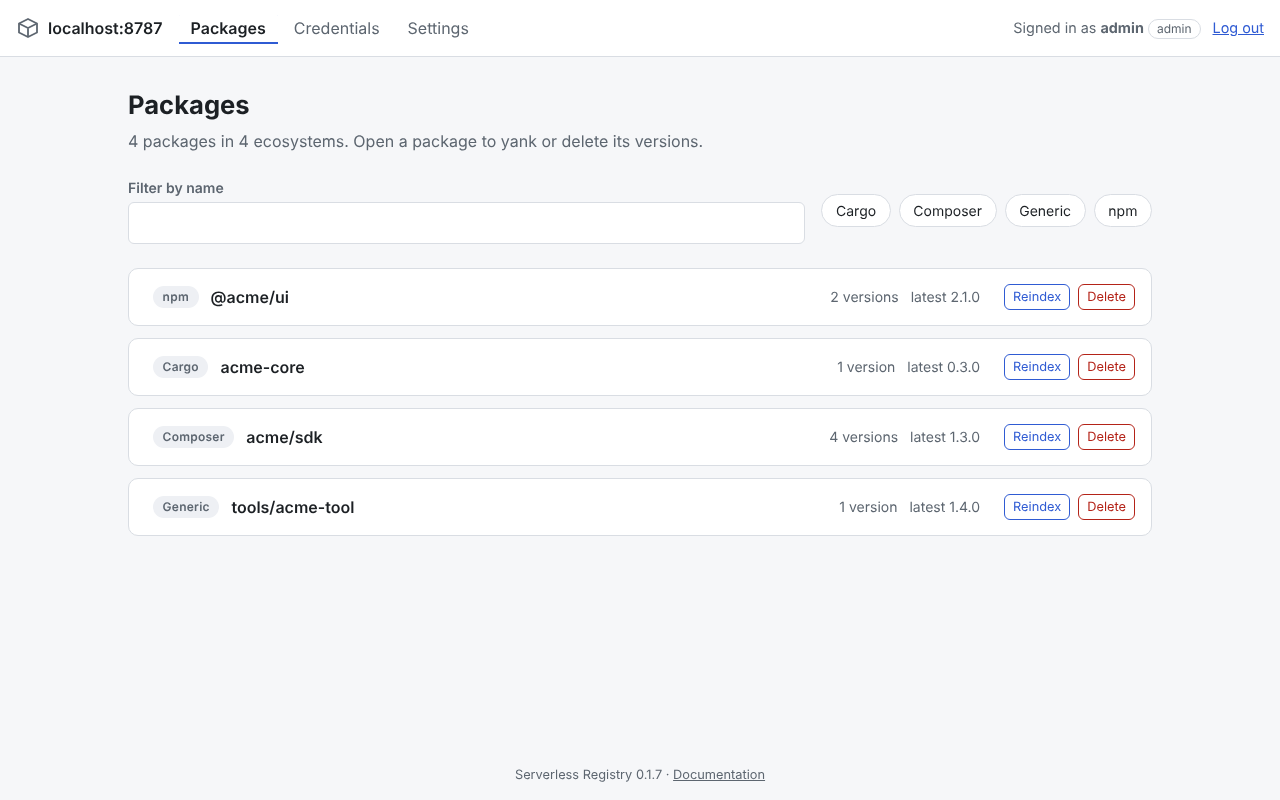
Packages - the same list with Reindex and Delete on each row; a package's page also lets you yank or delete its versions.
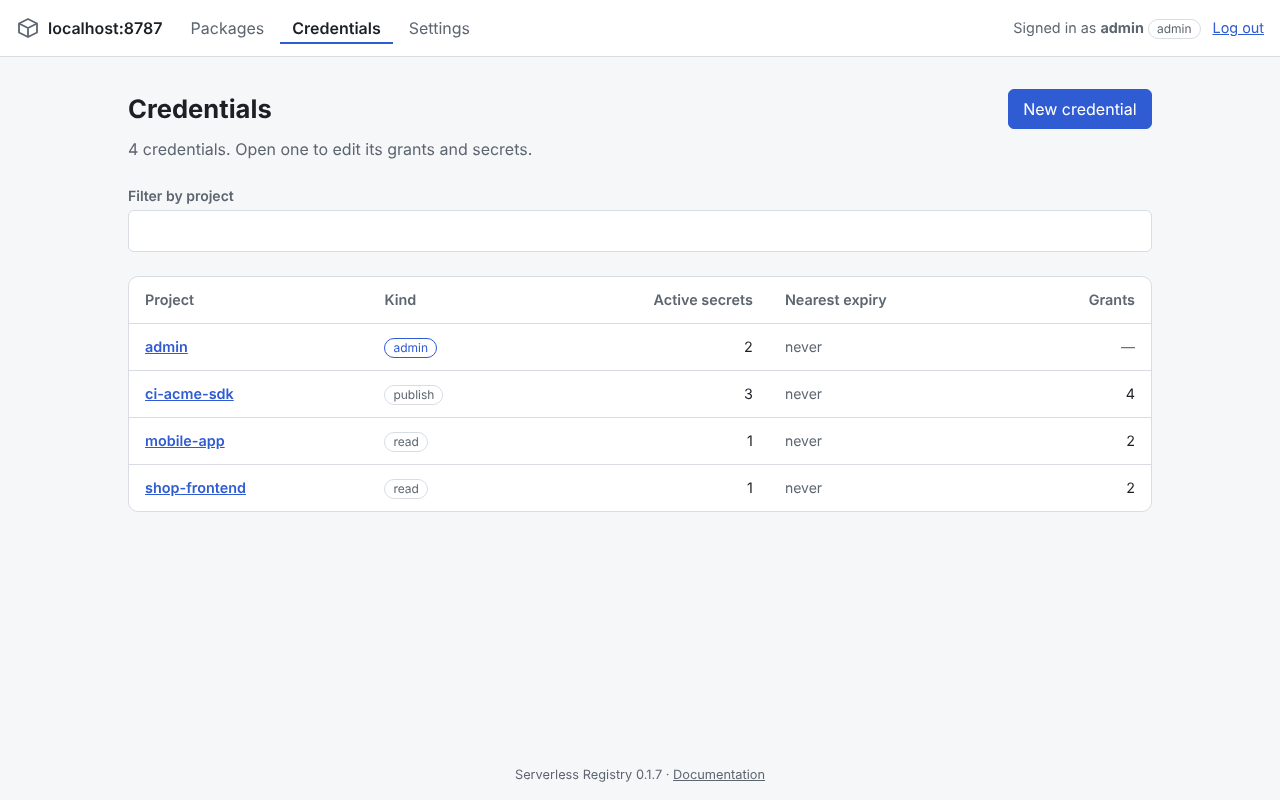
Credentials - every project in a table, plus a New credential form that shows the new token once.
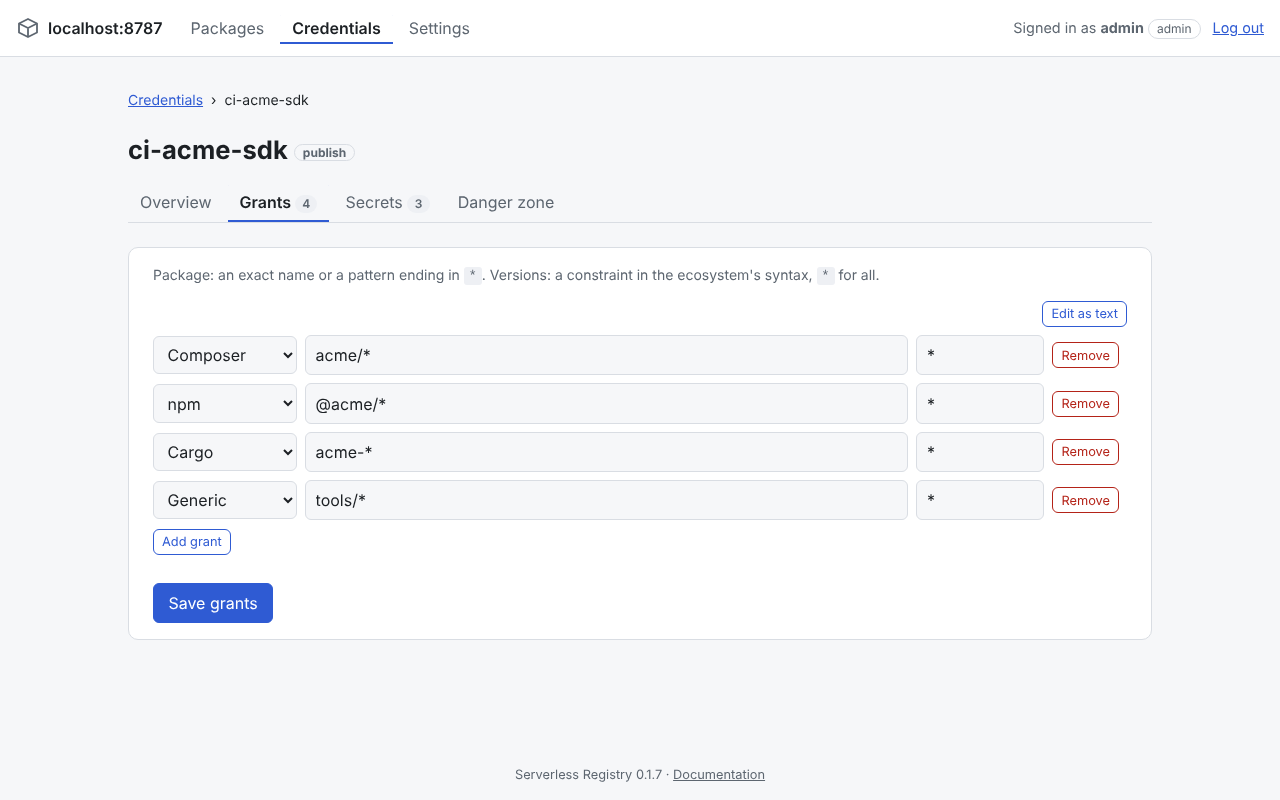
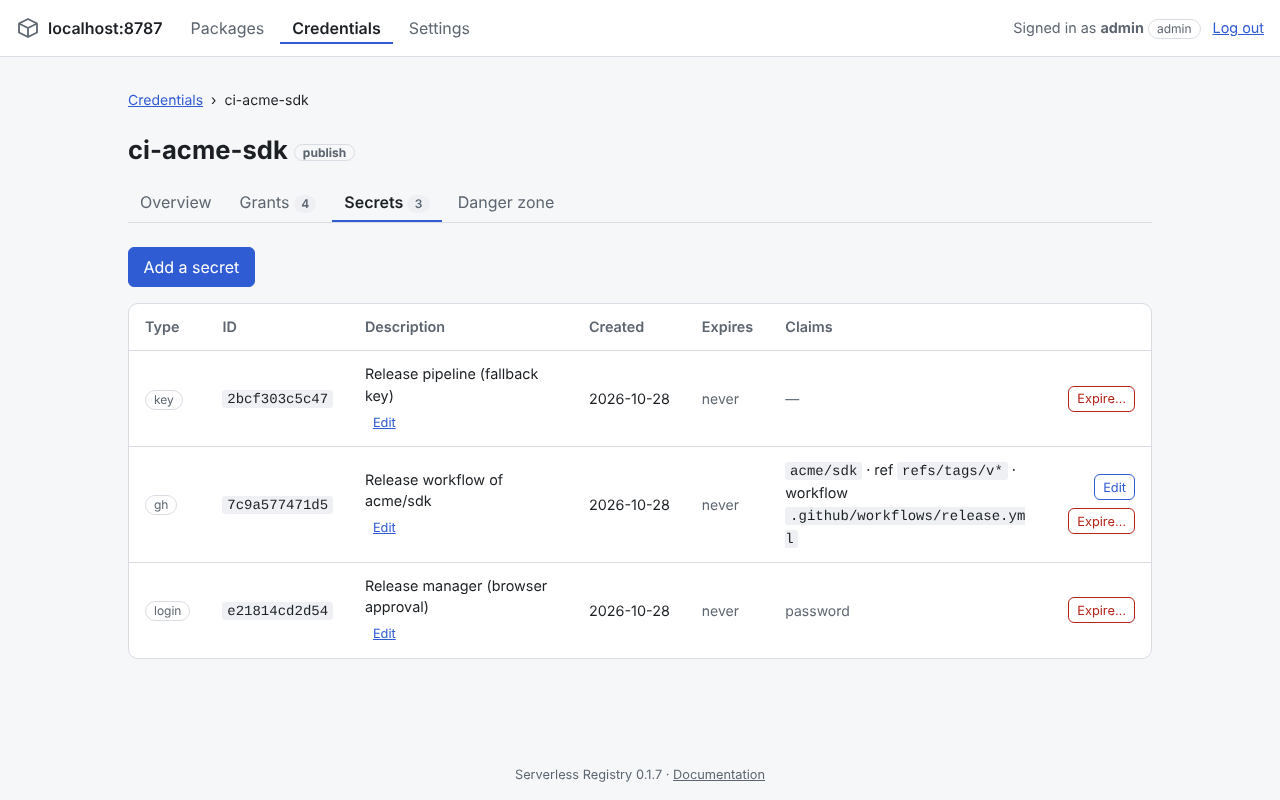
A credential has the tabs Overview, Grants, Secrets and Danger zone. Grants are an ecosystem, a package name or
vendor/* pattern and a version constraint in that ecosystem's syntax; Edit as text shows them one per line to copy and paste in bulk:
Secrets are key tokens, login passwords (with an optional one-time code) or GitHub Actions gh entries (OIDC) that trust a repository, optionally restricted to a ref, workflow or environment. Each can have a description, be edited and be expired individually. A new secret's token or password is shown once:
Settings - the running version, a setup checklist with every installation setting as Set, Missing or Default (secret values are never shown) and, unless CHECK_UPDATES is false, whether a newer release exists. While one exists, admins also see an Update available flag in the header of every page.
Updating
The Settings page and the Update available flag tell you when a newer release exists. The easiest way to update is the Update from upstream workflow of your own repository (Actions tab):
| Input | Meaning |
|---|---|
channel | stable (newest release), prerelease (betas included), custom (a tag) or develop (upstream's main). |
tag | Only for custom: a release tag such as v0.2.0. |
dry_run | Show the change in the run's summary without pushing. |
It never goes to an older version than your repository has, keeps your own bindings, name, routes and variables when
wrangler.jsonc conflicts, checks the result with wrangler deploy --dry-run and pushes to the default branch, which deploys.
Files of .github/workflows are updated only when you save a token as the repository secret UPDATE_TOKEN.
The Configure bindings workflow writes the R2 bucket (including its jurisdiction: eu, fedramp or none),
KV namespace, Worker name and custom domain into wrangler.jsonc from a form, so that deploys and updates keep them.
A bucket created in a jurisdiction needs it in the binding, otherwise a deploy binds the Worker to another, empty bucket.
Read the changelog before updating: entries marked Breaking need something from you and Requires migration entries run automatically on the first request after the deploy. Details, manual update paths and rollback are in the deployment guide.
Protection against a wrong R2 bucket
The Worker remembers an installation id in KV and in the bucket. When a deploy binds it to another or a new bucket, the
package and publish endpoints answer 503 bucket_mismatch instead of working on the wrong bucket (nothing is published into
it, nothing looks deleted), and the panel shows a banner. Fix the binding and deploy again; only if the bucket really is the
new one, an admin confirms it with Use this bucket. See
troubleshooting.
Operations
The deployment guide also covers the free plan limits, backups and troubleshooting (401, 426 client_too_old, presigning errors).
Compatibility
The Worker and sreg are released independently. The Worker answers with the oldest accepted client in
X-Min-Client-Version and rejects older ones with 426 (sreg exit code 3). The previous API version is kept
for at least one minor release after an incompatible change.